What is the AI crying video trend?
The AI crying video is an emotional edit that spread on TikTok in September 2026. Someone smiles softly at the camera with glossy eyes, a single tear rolls down their cheek, and they turn and walk away into the night. It is quiet, cinematic and a little heartbreaking, which is why people use it for goodbyes, breakups, nostalgia or simply a sad-but-beautiful mood.
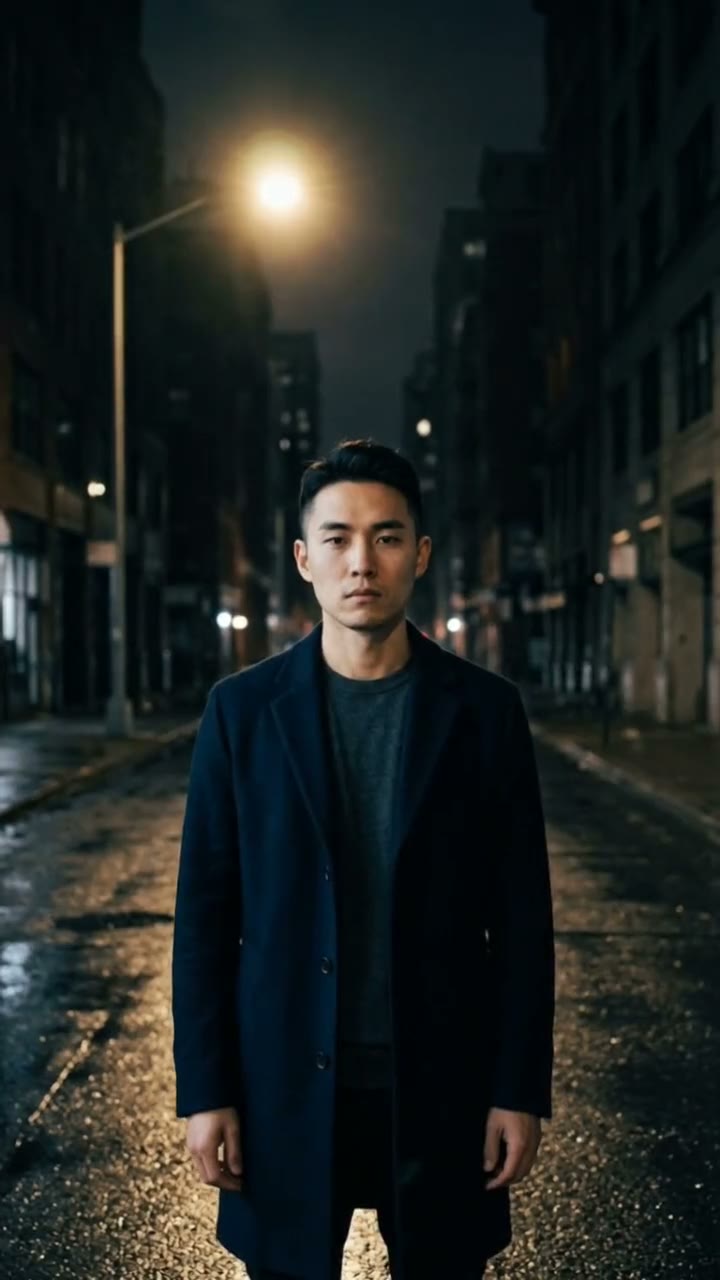
SelfieTrend makes it from one photo. We first place you on a rainy city street at night, under neon reflections, with tears in your eyes and a soft smile, as a still you can check and adjust. Then we animate the falling tear, the glance down and the slow walk away into a 10-second vertical video with original sound: soft rain and an original sad piano melody, no trending song included.
Updated October 30, 2026
How to make an AI crying video
- 1
Upload one clear photo
One adult, face fully visible and looking at the camera. The tears and the smile both happen on your face, so a sharp, well-lit photo matters.
- 2
Set the mood of the still
Keep the dark coat or describe your own look: a cream knit sweater, a denim jacket, a red scarf, rain-wet hair. Re-create the still until the tears and the smile feel right.
- 3
Make the video and download it
Confirm the price and the tear falls. Download the MP4 and post it as it is, or with a trending sound you add yourself.
The crying video, beat by beat
0-3s
Smiling through tears
You look into the camera on a rainy neon street, eyes glossy, a soft smile on your face.
3-7s
One tear falls
A single tear rolls down your cheek and you look down, as the rain and the piano carry on.
7-10s
Walking away
You turn and walk slowly away into the blurred neon city lights while the rain keeps falling.
Tips for a moving crying video
A calm, soft expression
The clip is about a quiet smile, not loud sobbing. Your photo does not need tears; they are added for you.
Dark or muted clothes
Coats, knits and plain jackets look best against neon and rain. Avoid logos and busy prints.
Front-facing, well-lit photo
A sharp photo with the face clear keeps your likeness when the camera is close on the tear.
Check the still first
The tear and the smile start from the still, so make sure it looks like you before animating.
Crying filter or crying video?
Many people search for an "AI crying filter". SelfieTrend is not a live camera filter that works while you film: you upload a photo and we generate a new still and a 10-second video of you on a rainy night street. The result is a finished clip you can post, not an effect you hold up to your face.
Adding a sound and a caption
Our video comes with original generated sound: soft rain and an original sad piano melody. If the trend you are following uses a specific song, it is not included. Download the video and add that audio in TikTok, Instagram Reels or CapCut. Captions like "Smiling through it", "Some goodbyes are quiet" or "POV: you finally let go" and hashtags like #aicrying #sadedit #rainynight #aivideo fit the mood.
Pricing
Each person gets one free watermarked preview, with no sign-in. Once you have a video in your balance, you can make more previews. The video costs $6.90 for one or $24.90 for five ($4.98 each), a one-time payment with no subscription, valid for 365 days. Sign-in is needed to buy and make the video, and a failed video is returned to your balance automatically.
Consent comes first
Only use photos of yourself or adults who agreed, and never make someone look upset without their agreement. Do not upload public figures or anyone under 18. Our sample clips use fictional AI people.
Frequently asked questions
Is the AI crying video generator free?
The first preview is free, watermarked and needs no sign-in, so you can see yourself smiling through tears before paying. The video costs $6.90, or $24.90 for five.
How much does the video cost?
$6.90 for one video or $24.90 for five ($4.98 each). One-time payment, no subscription, valid for 365 days. A failed video is returned to your balance automatically.
How long is it and does it have sound?
10 seconds, vertical 9:16, with original generated sound: soft rain and an original sad piano melody. No trending song is included; add one in TikTok or Reels after downloading.
Is this a live AI crying filter?
No. It is not a camera filter. You upload a photo and get a generated still and a 10-second video of you smiling through tears on a rainy street, then walking away.
Which photo works best?
A sharp, front-facing photo of one adult with the face fully visible, ideally from the chest or waist up. Avoid group photos, sunglasses and heavy filters.
Can I change the outfit or the scene?
Yes. The description box controls your look and the details around you, such as clothing, hair or the color of the neon. The rainy night street and the walk away stay the same.
Can I make more versions?
Each person gets one free preview. Once you have a video in your balance you can make more previews to try other outfits or moods.
Is my photo private?
Yes. Your photos and results stay in your private library and are never added to the public explore feed. Only upload photos of yourself or people who agreed.