What is an AI Halloween costume video?
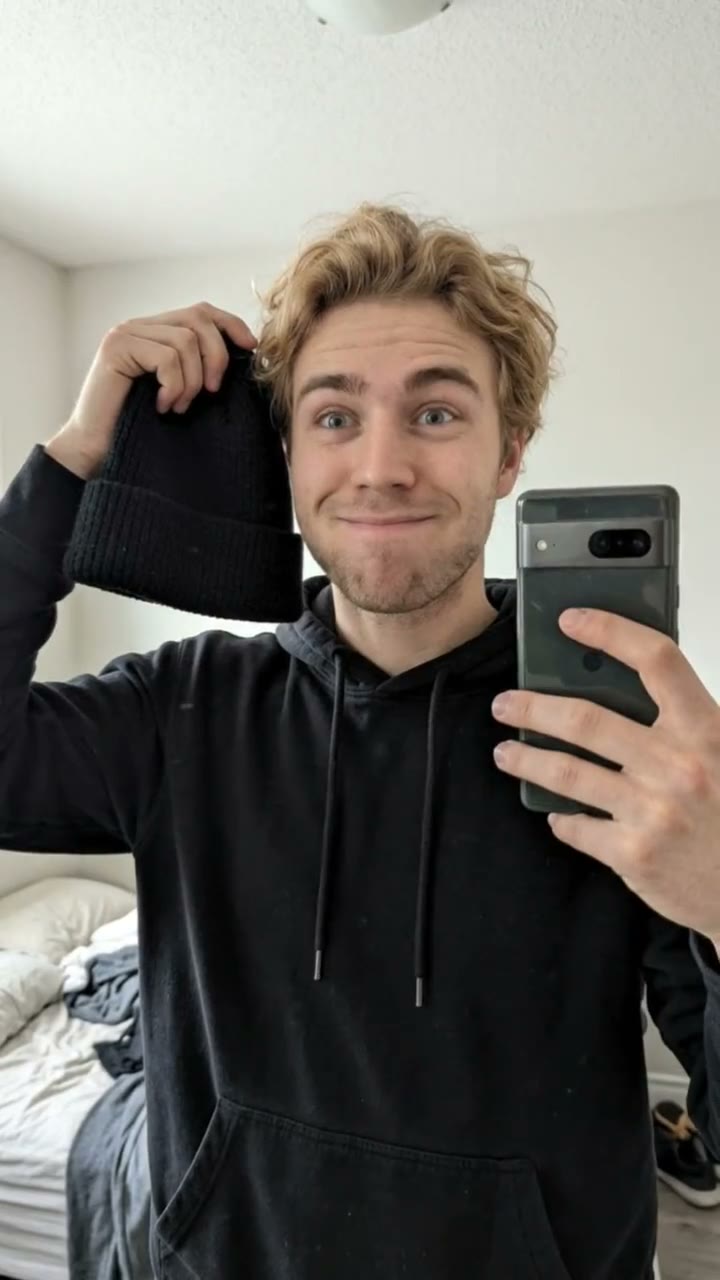
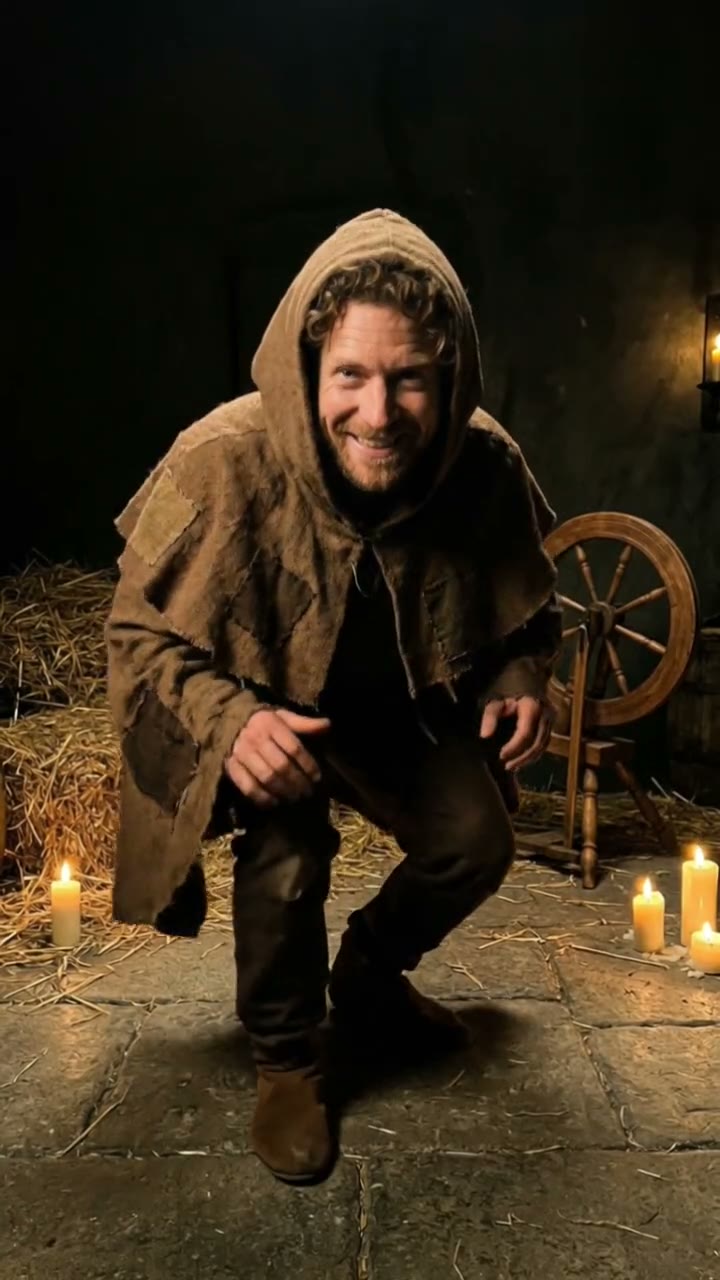
An AI Halloween costume generator shows you in a costume before you spend a cent on one. Upload a selfie, describe the outfit (a vampire, a witch, a pirate, a skeleton, a ghost bride) and you get a still of yourself at a Halloween night party. Then it becomes a short clip of you striking a pose, swirling the costume and laughing at the camera.
It is handy for deciding on a costume, for a party invitation, or just for a post on October 31. SelfieTrend works in two steps: first the costume shot, which you can check and adjust, then a 10-second vertical video with original spooky party sound. The first preview is free; you pay only for the video.
Updated October 29, 2026
How to make an AI Halloween costume video
- 1
Upload one clear selfie
One adult, face fully visible, no sunglasses or masks. Your face and hair carry over; the costume and makeup change.
- 2
Describe your costume
Keep the vampire or write your own: a witch with a patchwork hat, a skeleton in a tuxedo, a pirate captain, a werewolf, a ghost bride. Re-write it until the costume shot looks right.
- 3
Make the video and download it
Confirm the price and we animate your pose, costume swirl and laugh. Download the MP4 and post it or send it to the group chat.
The 10 seconds, beat by beat
0-3s
The reveal
You step into the party light, fog drifting, jack-o-lanterns glowing behind you.
3-7s
The pose
A dramatic pose and a swirl of the costume as the camera slowly pushes in.
7-10s
The laugh
You break character with a big laugh while friends cheer in the background.
Tips for a costume that looks right
Be specific about the details
Colors, fabrics, props and makeup help: "emerald green witch dress, tall pointed hat, silver rings" beats "witch".
Keep it generic and original
Describe a type of costume rather than a film or game character. Characters from franchises are not supported and tend to look off.
Faces fully visible
Use a selfie with no heavy filter, hat or hand over the face so the likeness holds.
Check the still first
The video follows the costume shot, so fix the outfit and makeup before you animate.
Costume ideas to try
Vampire, witch, skeleton, zombie, pirate, ghost bride, werewolf, mummy, scarecrow, devil, plague doctor, jester. Add a setting detail too, such as a candlelit mansion hall or a foggy graveyard gate, and the party scene will match.
Caption and audio ideas
Try captions like "Which costume should I wear?" or "Wait for the laugh" with #halloween #halloweencostume #aihalloween. Our video has original spooky party sound with no trending song included. If you want a popular Halloween track, download the video and add it in TikTok or Instagram Reels.
Pricing
Each person gets one free watermarked preview, with no sign-in. Once you have a video in your balance, you can make more previews. The video costs $6.90 for one or $24.90 for five ($4.98 each), a one-time payment with no subscription, valid for 365 days. Sign-in is needed to buy and make the video, and a failed video is returned to your balance automatically.
Consent comes first
Only use photos of yourself or adults who agreed. Do not upload public figures or anyone under 18. Our sample clips use fictional AI people.
Frequently asked questions
Is the AI Halloween costume generator free?
The first preview is free, watermarked and needs no sign-in, so you can see yourself in the costume before paying. The video costs $6.90, or $24.90 for five.
How much does the video cost?
$6.90 for one video or $24.90 for five ($4.98 each). It is a one-time payment, no subscription, valid for 365 days. If a video fails, it goes back to your balance automatically.
How long is the video and does it have sound?
It is 10 seconds, vertical 9:16, with original generated sound: spooky party music and ambience. No trending song is included, so add one in TikTok or Reels after downloading.
Which photo works best?
A sharp, front-facing selfie of one adult in daylight, with the face and hair clearly visible. Avoid group photos, sunglasses, masks and heavy filters.
Can I change the costume?
Yes. The description box is the costume. Write a witch, pirate, skeleton, werewolf or anything original, with colors and props, then re-create the costume shot until you like it.
Can I be a character from a movie or game?
We recommend generic costumes. Franchise characters are not supported and results will not be an official look. This service is not affiliated with any film, game or brand.
Can I make more than one costume?
Each person gets one free preview. Once you have a video in your balance you can make more previews, so you can test a few ideas and animate the best one.
Is my photo private?
Yes. Your photos and results stay in your private library and are never added to the public explore feed. Only upload photos of yourself or people who agreed.