What is an AI Christmas video?
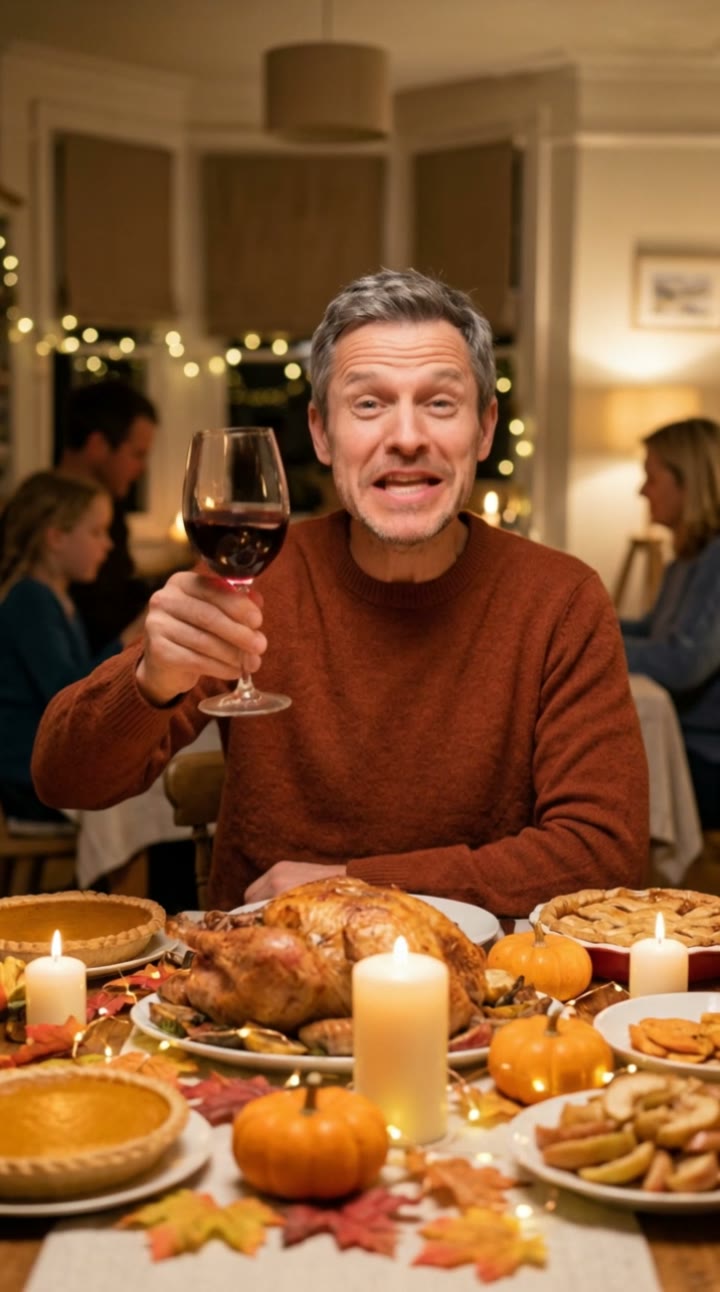
An AI Christmas video turns one ordinary photo into a short holiday greeting. You appear in a cozy living room on Christmas Eve, in a red knitted sweater next to a tree with warm lights, holding a mug of hot cocoa while snow falls outside the window. Then you raise the mug, wave at the camera and pick up a small wrapped gift.
SelfieTrend makes it in two steps. First a still of you by the tree, which you can check and adjust. Then a 10-second vertical video with original festive sound: a crackling fireplace, jingle bells and a gentle Christmas melody, no trending song included. Christmas 2026 falls on Friday 25 December, so there is time to make one for the family chat and your feed.
Updated October 30, 2026
How to make an AI Christmas video
- 1
Upload one clear photo
One adult, face fully visible. A chest-up photo looks most natural with the mug of cocoa in hand.
- 2
Add your festive touch
Keep the Santa hat or describe your own detail: reindeer antlers, a plaid scarf, round glasses, a big grin. Re-create the still until it feels like you.
- 3
Make the video and send it
Confirm the price and the scene comes alive. Download the MP4 and send it to family or post it before the 25th.
The greeting, beat by beat
0-3s
By the tree
You smile beside the glowing tree in a red sweater, cocoa in hand, as snow drifts past the window.
3-7s
Cheers and a wave
You raise the mug and wave warmly at the camera while the lights twinkle and the fire crackles.
7-10s
A little gift
You pick up a small wrapped gift as jingle bells and a gentle melody carry the moment.
Tips for a warm Christmas greeting
Keep the extras small
A hat, a scarf or glasses work best. The sweater, the cocoa and the tree are already part of the scene.
Front-facing, well-lit photo
A sharp photo with the face clear keeps your likeness when you smile and wave.
Start from a relaxed smile
A natural expression in your photo carries into the wave. Avoid sunglasses and heavy filters.
Check the still first
The video starts from the still, so make sure it looks like you before animating.
Send it to family and post it
The vertical video works as a moving Christmas card. Send it in the family group chat, attach it to a holiday message, or post it on Christmas Eve to TikTok, Instagram Reels or YouTube Shorts. Captions like "Merry Christmas from my living room" or "The cocoa is ready, come home" with #christmas #merrychristmas #aivideo fit the mood.
Adding your own music
Our video comes with original generated sound: a crackling fireplace, jingle bells and a gentle Christmas melody. It does not include any well-known carol or trending song. If you want one, download the video and add it in TikTok, Instagram Reels or CapCut.
Pricing
Each person gets one free watermarked preview, with no sign-in. Once you have a video in your balance, you can make more previews. The video costs $6.90 for one or $24.90 for five ($4.98 each), a one-time payment with no subscription, valid for 365 days. Sign-in is needed to buy and make the video, and a failed video is returned to your balance automatically.
Consent comes first
Only use photos of yourself or adults who agreed. Do not upload public figures or anyone under 18. Our sample clips use fictional AI people.
Frequently asked questions
Is the AI Christmas video generator free?
The first preview is free, watermarked and needs no sign-in, so you can see yourself by the tree before paying. The video costs $6.90, or $24.90 for five.
How much does the video cost?
$6.90 for one video or $24.90 for five ($4.98 each). One-time payment, no subscription, valid for 365 days. A failed video is returned to your balance automatically.
How long is it and does it have sound?
10 seconds, vertical 9:16, with original generated sound: a crackling fire, jingle bells and a gentle melody. No trending song is included; add one in TikTok, Reels or CapCut after downloading.
Which photo works best?
A sharp, front-facing photo of one adult with the face fully visible, ideally from the chest up. Avoid group photos, sunglasses and heavy filters.
Can I change the hat or the details?
Yes. The description box adds your own touches, such as reindeer antlers instead of the Santa hat, a scarf or glasses. The living room, red sweater, cocoa and snowy window stay as the base of the scene. Re-create the still until you like it.
Can I send it as a Christmas card?
Yes. Download the MP4 and send it through any messaging app or by email, or post it on social media. Christmas 2026 is on Friday 25 December, so making it a few days early leaves time to share.
Can my whole family be in one video?
Each video uses one photo of one adult. For other adults, make a separate greeting with their consent. Photos of anyone under 18, including your own children, are not allowed.
Is my photo private?
Yes. Your photos and results stay in your private library and are never added to the public explore feed. Only upload photos of yourself or people who agreed.