What is an AI snow globe?
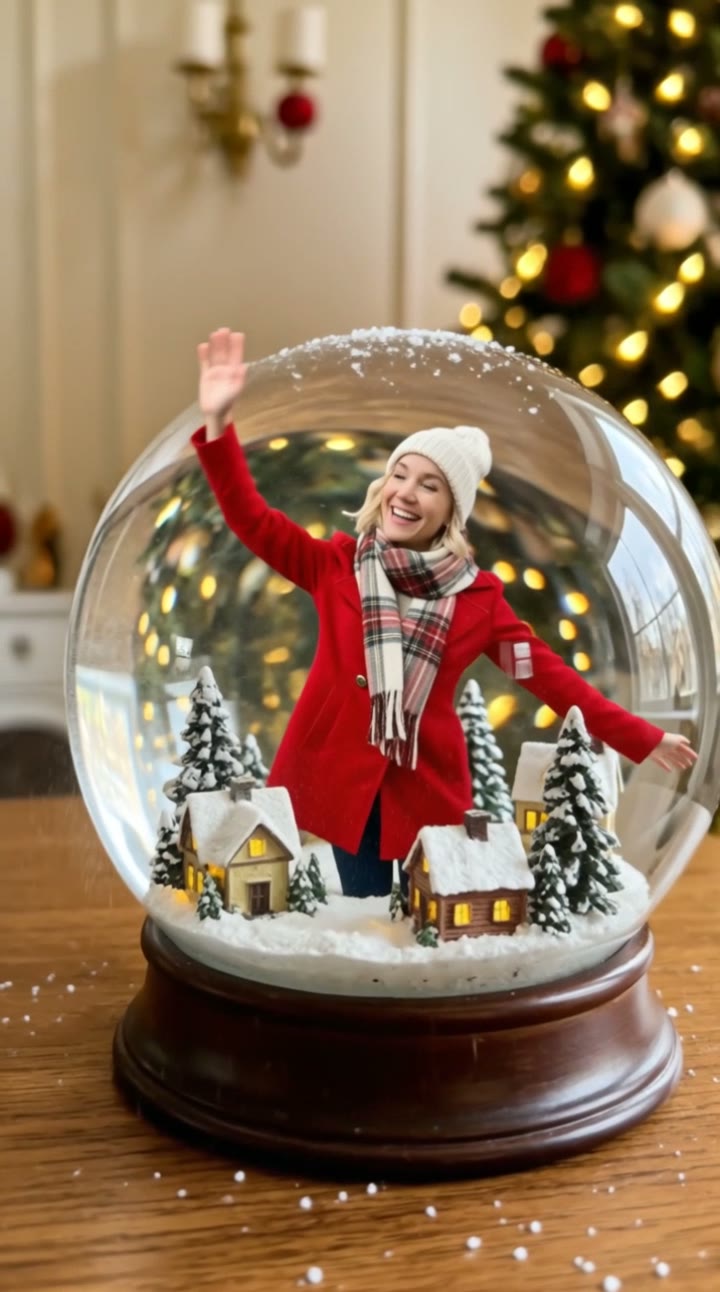
An AI snow globe turns one ordinary photo into a snow globe photo of yourself. You appear as a small figure standing inside a large glass globe on a wooden table, in a tiny snowy village with little lit houses and pine trees, in a warm winter coat and scarf, looking up and smiling while Christmas lights glow behind the glass.
SelfieTrend makes it in two steps. First the snow globe picture, which is the free watermarked preview you can check and adjust. Then a paid 10-second vertical video of the same globe: snow swirls up as if it was just shaken, you wave and twirl, and the flakes slowly settle, with original generated sound. Christmas 2026 falls on Friday 25 December, so there is time to make one to send and post.
Updated October 31, 2026
How to make an AI snow globe of yourself
- 1
Upload one clear photo
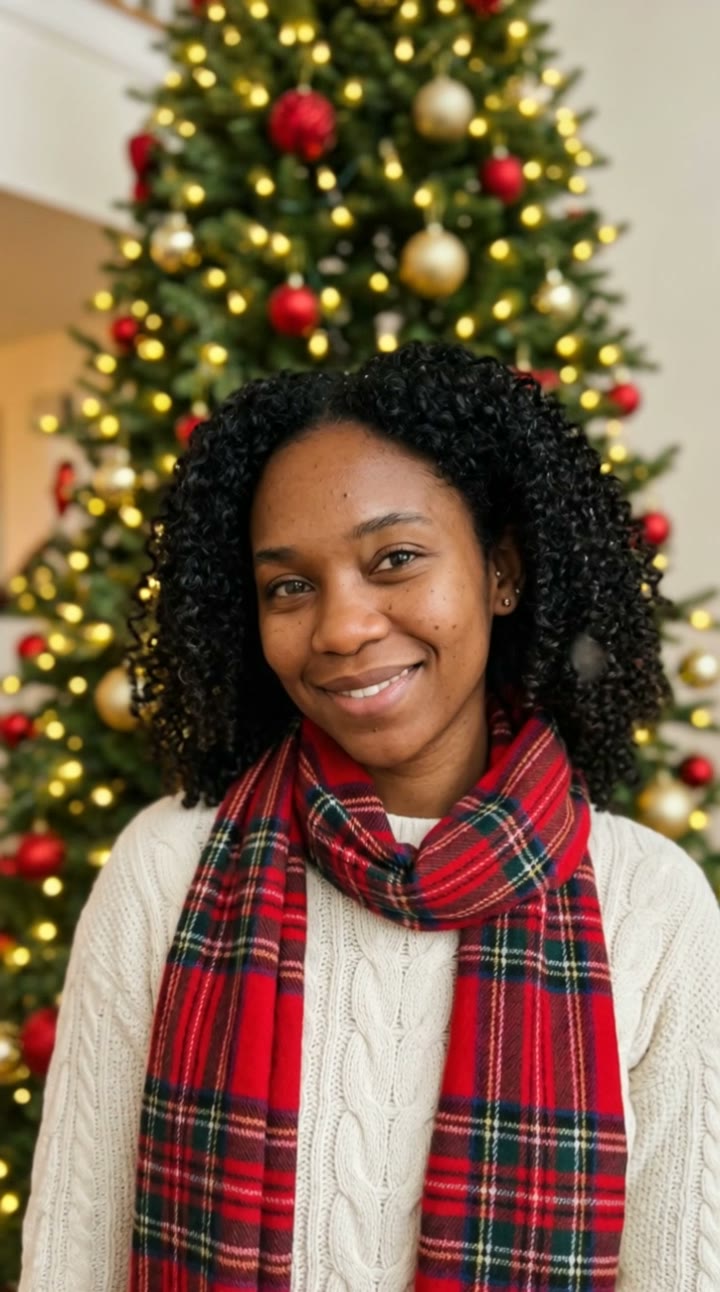
One adult, face fully visible, looking at the camera. A sharp chest-up photo keeps your likeness even at snow globe scale.
- 2
Check your snow globe
Keep the red coat and white hat or describe your own outfit: a green scarf, mittens, round glasses. Re-create the picture until it looks like you.
- 3
Make the video and send it
Confirm the price and the globe comes alive for 10 seconds. Download the MP4 and send it to family or post it before the 25th.
The snow globe video, beat by beat
0-3s
The shake
Snow swirls up inside the glass as if the globe was just shaken, and tiny you looks up.
3-7s
A wave and a twirl
You smile and wave, then twirl with your arms open while the camera slowly circles the globe.
7-10s
The snow settles
The flakes slowly settle and the little houses glow as a soft music-box melody and a faint wind chime play.
Tips for a better snow globe
Front-facing, well-lit photo
You are small inside the globe, so a sharp photo with the face clear helps keep your likeness.
Keep the extras small
The village, the globe and the table are already in the scene. A scarf, a hat or mittens are enough to add.
Start from a relaxed smile
A natural expression carries into the wave. Avoid sunglasses and heavy filters.
Check the picture first
The video starts from the snow globe picture, so make sure it looks like you before animating.
Your free picture and the paid video
The free watermarked preview is your snow globe picture. The paid result is a 10-second video version of it, a moving snow globe that you can send and post. We do not offer a downloadable unwatermarked still or a printable file.
Send it to family and post it
The vertical video works as a moving Christmas card or a snow globe photo of yourself for your feed. Send it in the family group chat, attach it to a holiday message, or post it to TikTok, Instagram Reels or YouTube Shorts. A caption like "Living in a snow globe this December" with #christmas #snowglobe #aivideo fits the mood. If you want music, add it in TikTok, Instagram Reels or CapCut.
Pricing
Each person gets one free watermarked preview, with no sign-in. Once you have a video in your balance, you can make more previews. The video costs $6.90 for one or $24.90 for five ($4.98 each), a one-time payment with no subscription, valid for 365 days. Sign-in is needed to buy and make the video, and a failed video is returned to your balance automatically.
Consent comes first
Only use photos of yourself or adults who agreed. Do not upload public figures or anyone under 18. Our sample clip uses a fictional AI person.
Frequently asked questions
Is the AI snow globe free?
The first preview is free, watermarked and needs no sign-in, so you can see yourself in the globe before paying. The video costs $6.90, or $24.90 for five.
How much does the video cost?
$6.90 for one video or $24.90 for five ($4.98 each). One-time payment, no subscription, valid for 365 days. A failed video is returned to your balance automatically.
Do I get the snow globe as a photo download?
The free preview is your snow globe picture with a watermark. The paid product is the 10-second video version of it. We do not offer an unwatermarked still photo or a printable file.
How long is it and does it have sound?
10 seconds, vertical 9:16, with original generated sound: a soft music-box melody and a faint wind chime. No well-known carol or trending song is included; add one in TikTok, Reels or CapCut afterwards.
Which photo works best?
A sharp, front-facing photo of one adult with the face fully visible, ideally from the chest up. Avoid group photos, sunglasses and heavy filters.
Can I change what I wear in the globe?
Yes. The description box lets you add your own details, such as a different coat color, mittens or glasses. The glass globe, wooden table and snowy village stay as the base of the scene. Re-create the picture until you like it.
Can my kids or family be in the globe?
Each picture uses one adult. Photos of anyone under 18, including your own children, are not allowed, so we cannot put kids in a snow globe. For other adults, make a separate globe with their consent.
Is my photo private?
Yes. Your photos and results stay in your private library and are never added to a public feed. Only upload photos of yourself or people who agreed.