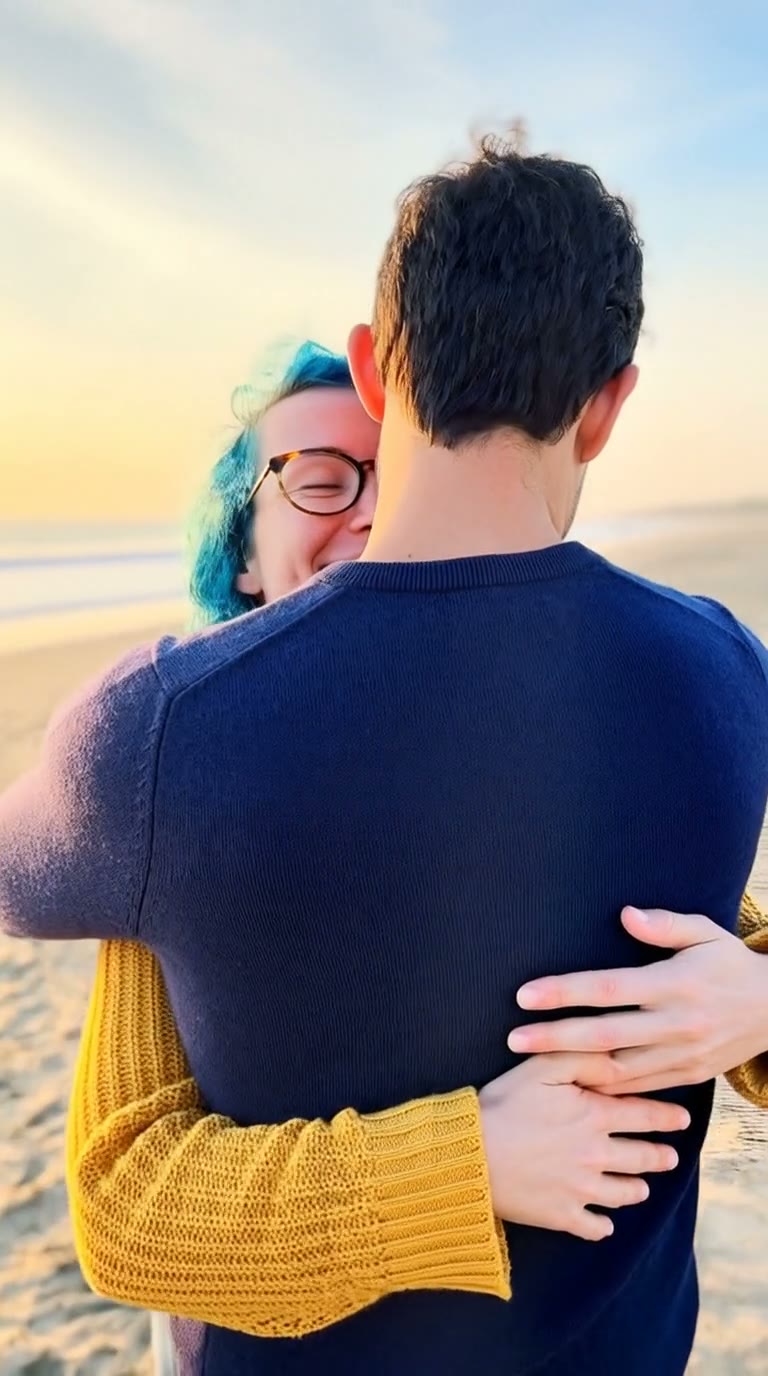
What is an AI kissing generator?
An AI kissing generator, often searched as AI kiss, kissing AI or artificial intelligence kiss, turns still photos of two people into a short, realistic AI kissing video of them sharing a kiss. People make them for anniversaries, long-distance couples, wedding invites, memes between friends and “what if” edits. You do not need a photo of the two of you together: one photo of each person is enough.
SelfieTrend makes it in two steps. First we place both people in one romantic scene as a still image, so you can check faces, outfits and setting. When you like it, we animate it into a 6-second vertical kiss with natural motion. The still is a free preview; you only pay when you make the video.
Updated October 29, 2026
How to make an AI kissing video from 2 photos
- 1
Upload two clear photos
One photo per person, each showing one adult with the face fully visible. Separate selfies are fine; you do not need a couple photo.
- 2
Pick the scene and check the couple shot
Keep the sunset beach or describe your own setting: a rainy street, a rooftop at night, a cosy café. We create the couple still. Not quite right? Run it again before you make the video.
- 3
Make the kiss video and download it
Confirm the video price and we animate the scene: they lean in, kiss, pull back and smile. Download the MP4 and share it.
The clip, beat by beat
0–2 s
The lean-in
Close together, eyes meeting, the moment before the kiss.
2–4 s
The kiss
A gentle kiss on the lips, a hand rising to the cheek.
4–6 s
The smile
They pull back a little and smile at each other.
Tips for a realistic AI kiss
Similar light in both photos
Two daylight selfies blend better than one flash photo and one sunset photo.
Faces fully visible
No sunglasses, masks or hands over the face. Profile shots and heavy filters make likeness harder.
Describe the place, not the faces
Use the scene box for setting, outfits and weather. Faces come from the photos.
Check the couple shot first
The video copies the still, so fix anything you dislike in the still before you animate it.
Scene ideas
Sunset beach, a rainy city street under one umbrella, a rooftop with city lights, a snowy park, a lantern-lit night market, a wedding arch, a train platform reunion. Write the place, the time of day and what they wear; keep it to one or two sentences.
Pricing
Your first couple still is a free, watermarked preview; once you have a video in your balance, you can re-run it until both faces look right. You only pay for the video: $6.90 for one or $24.90 for five, with no subscription. If a video fails, it is returned to your balance automatically.
Consent comes first
Only use photos of yourself and of adults who agreed to it. Do not upload photos of public figures, of anyone under 18, or of someone without their permission. Kiss videos of real people made without consent can hurt them, and we remove that content when we see it.
Frequently asked questions
Can I make an AI kissing video from two separate photos?
Yes. Upload one photo of each person. We first put them together in one romantic scene, then animate the kiss. A photo of the two of you together is not needed.
What is an artificial intelligence kiss video?
It is a short clip where artificial intelligence animates two people from ordinary photos into a kiss. The AI matches both faces, places them in one scene and adds natural motion: the lean-in, the kiss and the smile after.
How much does an AI kissing video cost?
The couple preview is free. The video costs $6.90, or $24.90 for a pack of five. There is no subscription, and a failed video is returned to your balance.
How long is the video?
About 6 seconds, vertical 9:16, ready for TikTok, Reels and Shorts.
Does the video have sound?
No, the clip is silent so you can add your own song in TikTok, Instagram or CapCut.
Can I change where they kiss?
Yes. Edit the scene description before you create the couple still: the place, the time of day, the outfits or the weather.
Why does a face look different?
Likeness depends on the photos. Use sharp, well-lit, front-facing photos of one person each and check the still before you make the video. If it is off, run the still again.
Can I use a photo of a celebrity or my crush?
No. Only use photos of yourself and adults who gave permission. Public figures and anyone under 18 are not allowed.
Is my video private?
Yes. Your photos and results stay in your private library. Template videos are never added to the public explore feed.